
You Don’t Need Spark for That: Pythonic Data Lakehouse Workflows#
Romain Clement
PyData Paris 2025 September 30th 2025
💡 What's a Data Lakehouse?#
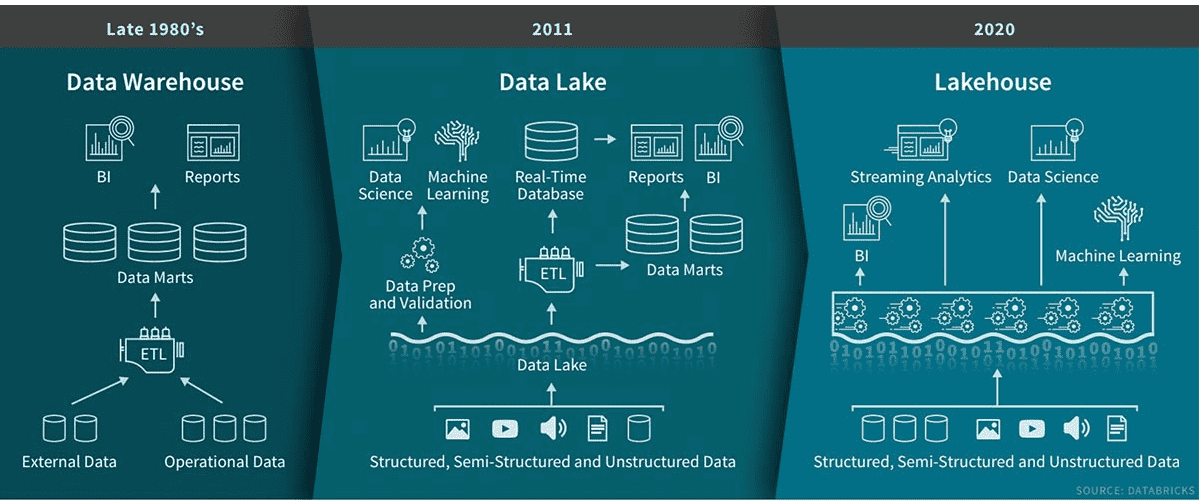
Bridge between Data Lakes & Data Warehouses
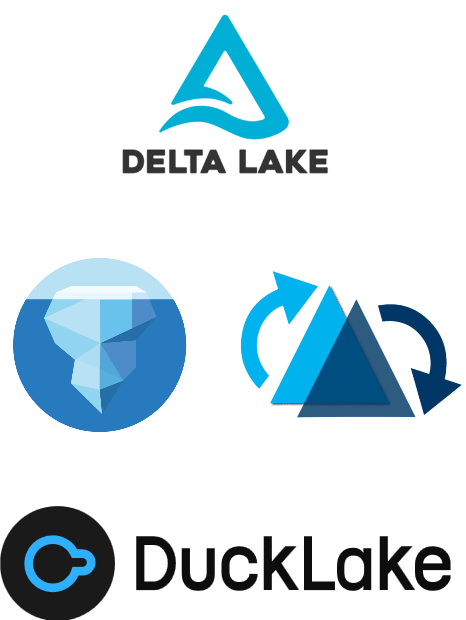
✅ Flexibility of data lakes ✅ Governance of data warehouses ✅ Cost-effective storage + compute separation ✅ Open Table Formats: Delta, Iceberg, Hudi, DuckLake
Popularized by Databricks & Snowflake
💡 What's a Data Lakehouse?#
⚙️ Data Lakehouse Features#
Performance & Cost - Scalable storage + compute - Independent scaling
Data Reliability - ACID transactions - Schema enforcement & evolution
Operational Flexibility - Time-travel - Snapshots / branching
🗂️ Data format example (Delta)#
table_name
|-- _delta_log
|   |-- 00000000000000000000.json
|   |-- 00000000000000000001.json
|   |-- 00000000000000000002.json
|-- partition=1
    |-- part-00001-1a31a393-6db6-4d1a-bf4e-81ea061ff8cd-c000.snappy.parquet
|-- partition=2
    |-- part-00001-5af77102-9207-4c89-aaf6-37e1f815ec26-c000.snappy.parquet
    |-- part-00001-b11bab55-43d0-4d05-ae88-5b9481ae57db-c000.snappy.parquet
Storage = Parquet files + Transaction log

🔥 Why (not) Spark?#
Designed for big data workloads (>= 1TB)
Cluster infrastructure complexity
JVM overhead
Cumbersome local development
What about small/medium-scale data?
🐍 Getting started with Python#
| Format | Native Library | Polars | DuckDB |
|---|---|---|---|
| Delta | deltalake | ✅ | ⚠️ |
| Iceberg | pyiceberg | ✅ | ⚠️ |
| Hudi | hudi | - | - |
| DuckLake | - | - | ✅ |
Note: current state as of September 2025

Example Delta with deltalake#
Hands-on walkthrough
✅ Create tables & write data ✅ Merge operations ✅ History & time travel ✅ Pure Python, no clusters
Creating a table#
>>> from deltalake import DeltaTable, Field, Schema
>>>
>>> weather_table_uri = ".datasets/weather"
>>> table = DeltaTable.create(
        weather_table_uri,
        storage_options=None,
        schema=Schema(
            [
                Field("time", "timestamp"),
                Field("city", "string"),
                Field("temperature", "float"),
            ]
        ),
        name="Weather",
        description="Forecast weather data",
    )
Creating a table#
.datasets/weather
└── _delta_log
    └── 00000000000000000000.json
Table directory with initial transaction log
Inspecting table metadata#
>>> str(table.metadata())
Metadata(
  id: '830c7cf1-f8f8-4c59-b3f7-369d93d914ca',
  name: Weather,
  description: 'Forecast weather data',
  partition_columns: [],
  created_time: 1758725496285,
  configuration: {}
)
Inspecting table schema#
>>> table.schema().to_arrow()
arro3.core.Schema
------------
time: Timestamp(Microsecond, Some("UTC"))
city: Utf8
temperature: Float32
Writing to a table#
Append some data first:
>>> import pandas as pd
>>> from deltalake import write_deltalake
>>>
>>> weather_df_1 = pd.DataFrame(
  [
    {"time": "2025-09-30T12:00:00Z", "city": "Paris", "temperature": 10.0},
    {"time": "2025-09-30T13:00:00Z", "city": "Paris", "temperature": 11.0},
    {"time": "2025-09-30T14:00:00Z", "city": "Paris", "temperature": 12.0},
  ]
)
>>> write_deltalake(weather_table_uri, weather_df_1, mode="append", storage_options=None)
Writing to a table#
.datasets/weather
├── _delta_log
│   ├── 00000000000000000000.json
│   └── 00000000000000000001.json
└── part-00001-4f6cdffe-981b-4157-b19b-7fba04b1f7a6-c000.snappy.parquet
New transaction and one Parquet file
Writing to a table#
Upsert some data:
>>> weather_df_2 = pd.DataFrame(
  [
    {"time": "2025-09-30T13:00:00Z", "city": "Paris", "temperature": 12.0},
    {"time": "2025-09-30T14:00:00Z", "city": "Paris", "temperature": 13.0},
    {"time": "2025-09-30T15:00:00Z", "city": "Paris", "temperature": 14.0},
  ]
)
>>> table = DeltaTable(weather_table_uri, storage_options=None)
>>> (
      table.merge(
        source=weather_df_2,
        source_alias="source",
        target_alias="target",
        predicate="target.time = source.time and target.city = source.city",
      )
      .when_matched_update(updates={"temperature": "source.temperature"})
      .when_not_matched_insert(
        updates={"time": "source.time", "city": "source.city", "temperature": "source.temperature"}
      )
      .execute()
    )
Writing to a table#
.datasets/weather
├── _delta_log
│   ├── 00000000000000000000.json
│   ├── 00000000000000000001.json
│   └── 00000000000000000002.json
├── part-00001-4f6cdffe-981b-4157-b19b-7fba04b1f7a6-c000.snappy.parquet
├── part-00001-d7036469-24e9-4362-9871-9a3641365b29-c000.snappy.parquet
└── part-00001-f06d4ec1-4545-4844-976c-c80d31bba1dd-c000.snappy.parquet
New transaction and two Parquet files
.datasets/weather/part-00001-4f6cdffe-981b-4157-b19b-7fba04b1f7a6-c000.snappy.parquet
┌──────────────────────────┬─────────┬────────────────┐
│           time           │  city   │  temperature   │
│ timestamp with time zone │ varchar │     float      │
├──────────────────────────┼─────────┼────────────────┼
│ 2025-09-30 12:00:00+00   │ Paris   │           10.0 │
│ 2025-09-30 13:00:00+00   │ Paris   │           11.0 │
│ 2025-09-30 14:00:00+00   │ Paris   │           12.0 │
└──────────────────────────┴─────────┴────────────────┘

.datasets/weather/part-00001-d7036469-24e9-4362-9871-9a3641365b29-c000.snappy.parquet
┌──────────────────────────┬─────────┬────────────────┐
│           time           │  city   │  temperature   │
│ timestamp with time zone │ varchar │     float      │
├──────────────────────────┼─────────┼────────────────┤
│ 2025-09-30 13:00:00+00   │ Paris   │           12.0 │
│ 2025-09-30 14:00:00+00   │ Paris   │           13.0 │
│ 2025-09-30 12:00:00+00   │ Paris   │           10.0 │
└──────────────────────────┴─────────┴────────────────┘

.datasets/weather/part-00001-f06d4ec1-4545-4844-976c-c80d31bba1dd-c000.snappy.parquet
┌──────────────────────────┬─────────┬────────────────┐
│           time           │  city   │  temperature   │
│ timestamp with time zone │ varchar │     float      │
├──────────────────────────┼─────────┼────────────────┤
│ 2025-09-30 15:00:00+00   │ Paris   │      14.0      │
└──────────────────────────┴─────────┴────────────────┘
Reading a table#
>>> table = DeltaTable(weather_table_uri, storage_options=None)
>>> table.version()
2
>>> table.to_pandas()
                       time   city     temperature
0 2025-09-30 15:00:00+00:00  Paris            14.0
1 2025-09-30 13:00:00+00:00  Paris            12.0
2 2025-09-30 14:00:00+00:00  Paris            13.0
3 2025-09-30 12:00:00+00:00  Paris            10.0
Retrieve the table history#
Version 0 (table creation):
>>> table.history()
[
  {
    'timestamp': 1758720246806,
    'operation': 'CREATE TABLE',
    'operationParameters': {
      'protocol': '{"minReaderVersion":1,"minWriterVersion":2}',
      'mode': 'ErrorIfExists',
      'location': 'file:///.../.datasets/weather',
      'metadata': '{"configuration":{},"createdTime":1758720246797...}'
    },
    'engineInfo': 'delta-rs:py-1.1.0',
    'clientVersion': 'delta-rs.py-1.1.0',
    'version': 0
  }
  ...
]
Retrieve the table history#
Version 1 (data append):
>>> table.history()
[
  ...
  {
    'timestamp': 1758720703062,
    'operation': 'WRITE',
    'operationParameters': {'mode': 'Append'},
    'engineInfo': 'delta-rs:py-1.1.0',
    'clientVersion': 'delta-rs.py-1.1.0',
    'operationMetrics': {
      'execution_time_ms': 142,
      'num_added_files': 1,
      'num_added_rows': 3,
      'num_partitions': 0,
      'num_removed_files': 0
    },
    'version': 1
  }
  ...
]
Retrieve the table history#
Version 2 (data merge):
>>> table.history()
[
  ...
  {
    'timestamp': 1758726633699,
    'operation': 'MERGE',
    'operationParameters': {...},
    'readVersion': 1,
    'engineInfo': 'delta-rs:py-1.1.0',
    'operationMetrics': {
      'execution_time_ms': 45,
      'num_output_rows': 4,
      'num_source_rows': 3,
      'num_target_files_added': 2,
      'num_target_files_removed': 1,
      'num_target_files_scanned': 1,
      'num_target_files_skipped_during_scan': 0,
      'num_target_rows_copied': 1,
      'num_target_rows_deleted': 0,
      'num_target_rows_inserted': 1,
      'num_target_rows_updated': 2,
      'rewrite_time_ms': 10,
      'scan_time_ms': 0
    },
    'clientVersion': 'delta-rs.py-1.1.0',
    'version': 2
  }
]
Time-travel#
>>> table.load_as_version(0)
>>> table.to_pandas()
Empty DataFrame
Columns: [time, city, temperature]
Index: []

>>> table.load_as_version(1)
>>> table.to_pandas()
                       time   city     temperature
0 2025-09-30 12:00:00+00:00  Paris            10.0
1 2025-09-30 13:00:00+00:00  Paris            11.0
2 2025-09-30 14:00:00+00:00  Paris            12.0

>>> table.load_as_version(2)
>>> table.to_pandas()
                       time   city     temperature
0 2025-09-30 15:00:00+00:00  Paris            14.0
1 2025-09-30 13:00:00+00:00  Paris            12.0
2 2025-09-30 14:00:00+00:00  Paris            13.0
3 2025-09-30 12:00:00+00:00  Paris            10.0

Example Delta with duckdb#
✅ Scanning a Delta table ✅ Interoperability with deltalake
Scanning a Delta table#
$ from delta_scan('.datasets/weather');
┌──────────────────────────┬─────────┬────────────────┐
│           time           │  city   │  temperature   │
│ timestamp with time zone │ varchar │     float      │
├──────────────────────────┼─────────┼────────────────┤
│ 2025-09-30 15:00:00+00   │ Paris   │           14.0 │
│ 2025-09-30 13:00:00+00   │ Paris   │           12.0 │
│ 2025-09-30 14:00:00+00   │ Paris   │           13.0 │
│ 2025-09-30 12:00:00+00   │ Paris   │           10.0 │
└──────────────────────────┴─────────┴────────────────┘
Interoperability with deltalake#
>>> import duckdb
>>>
>>> weather_ds = table.to_pyarrow_dataset()
>>> conn = duckdb.connect()
>>> conn.register("weather", weather_ds)
>>> conn.execute("select * from weather").df()
                       time   city     temperature
0 2025-09-30 15:00:00+00:00  Paris            14.0
1 2025-09-30 13:00:00+00:00  Paris            12.0
2 2025-09-30 14:00:00+00:00  Paris            13.0
3 2025-09-30 12:00:00+00:00  Paris            10.0
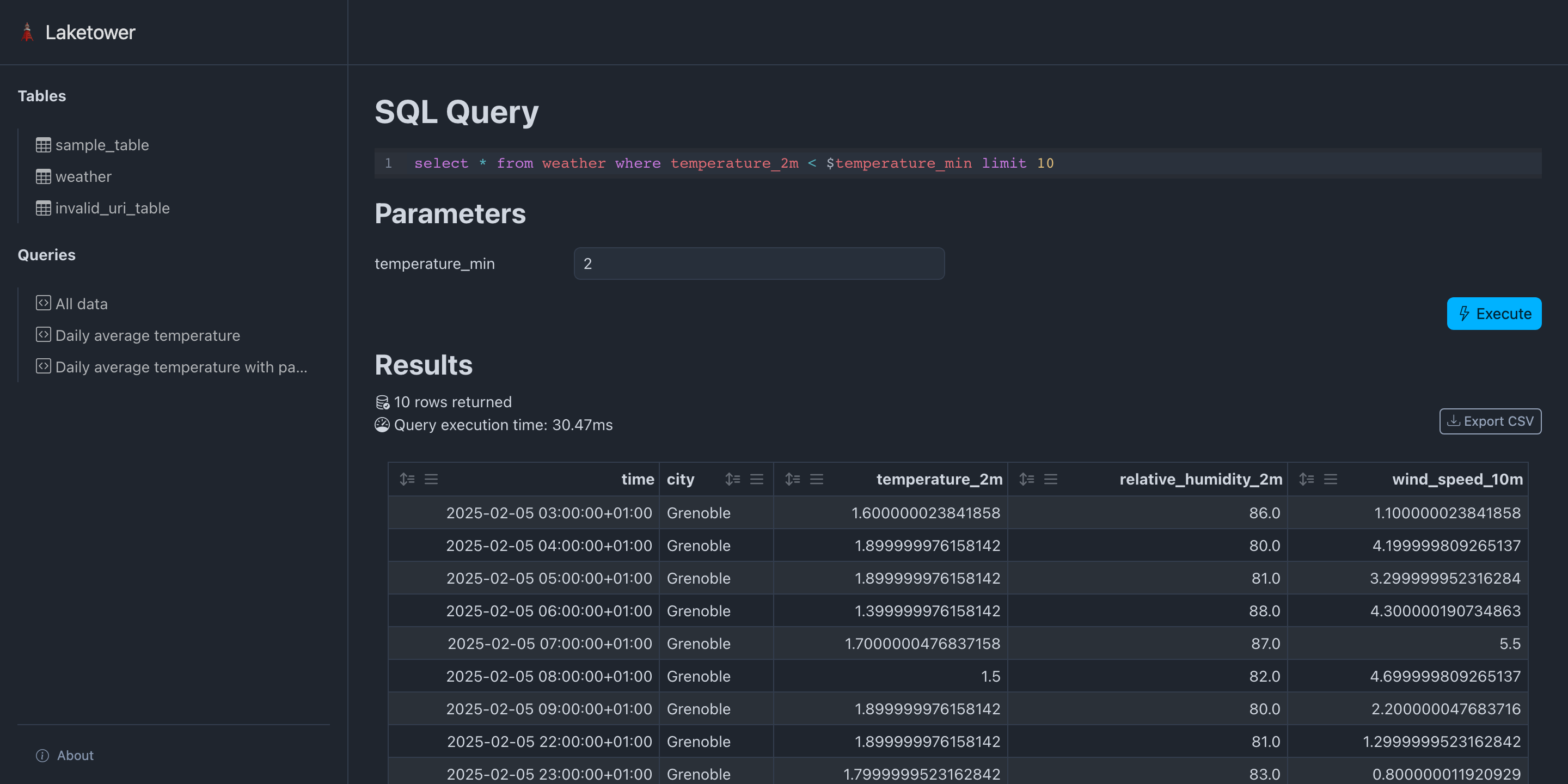
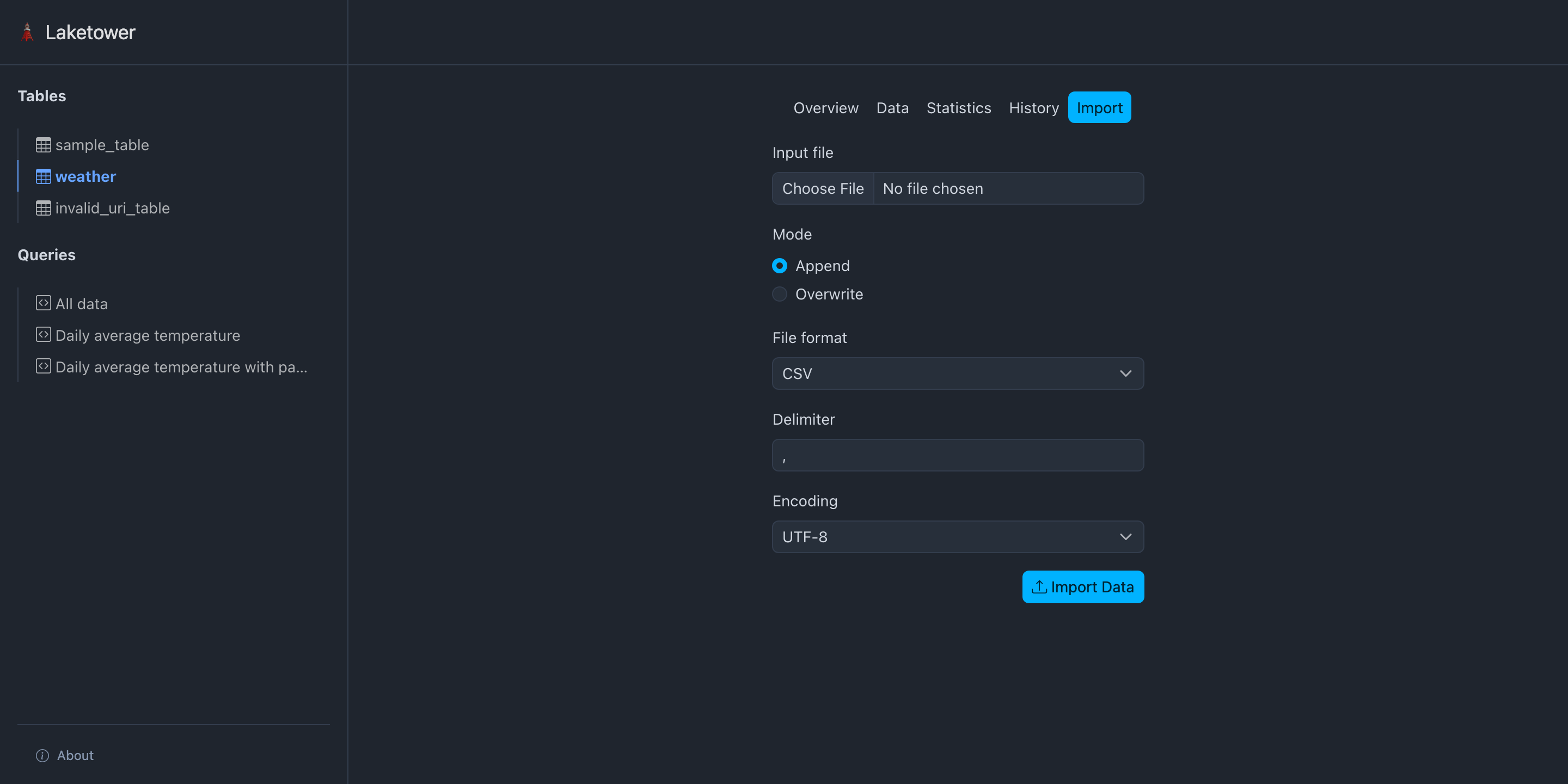
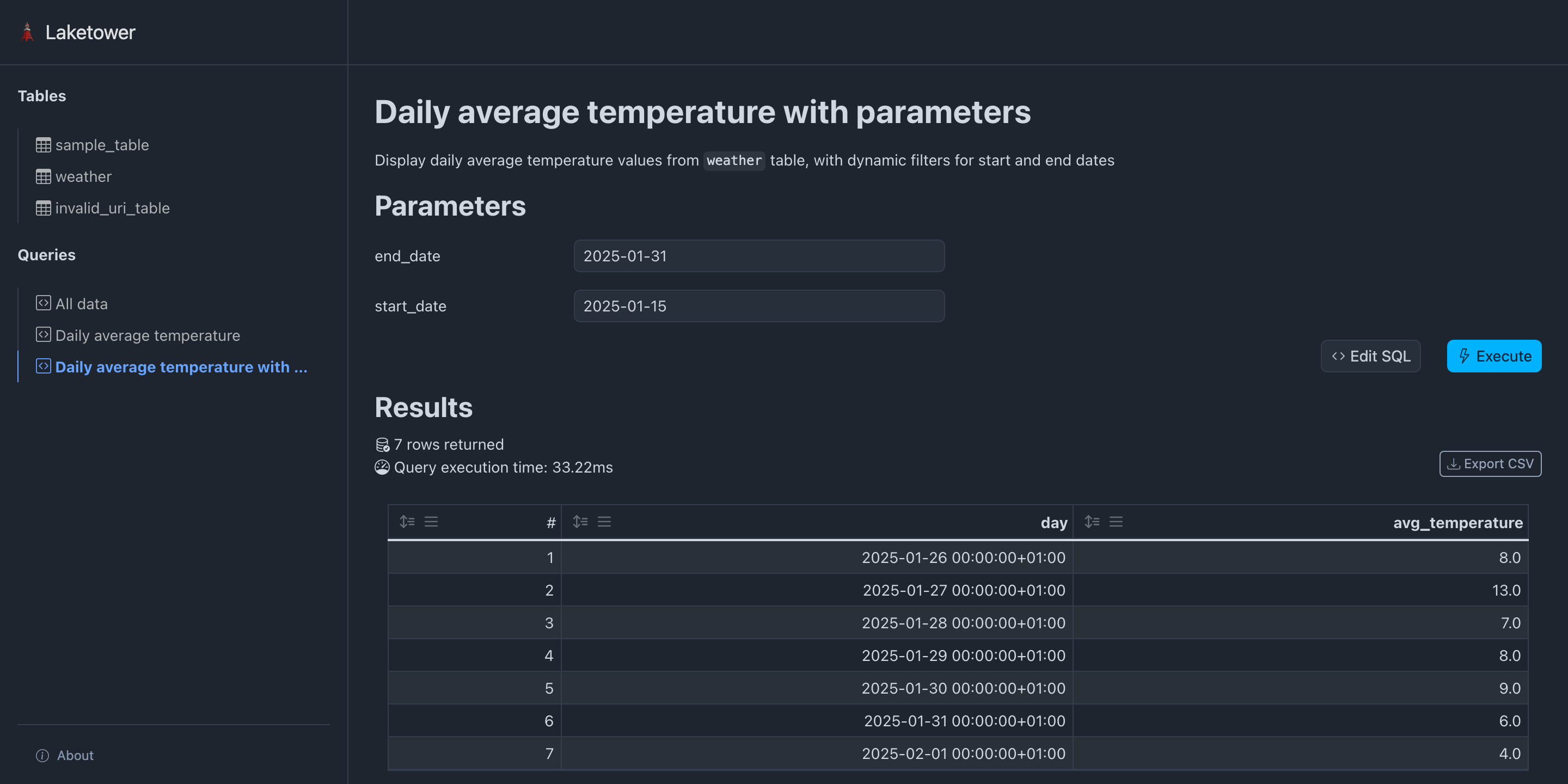
🗼 Introducing laketower#
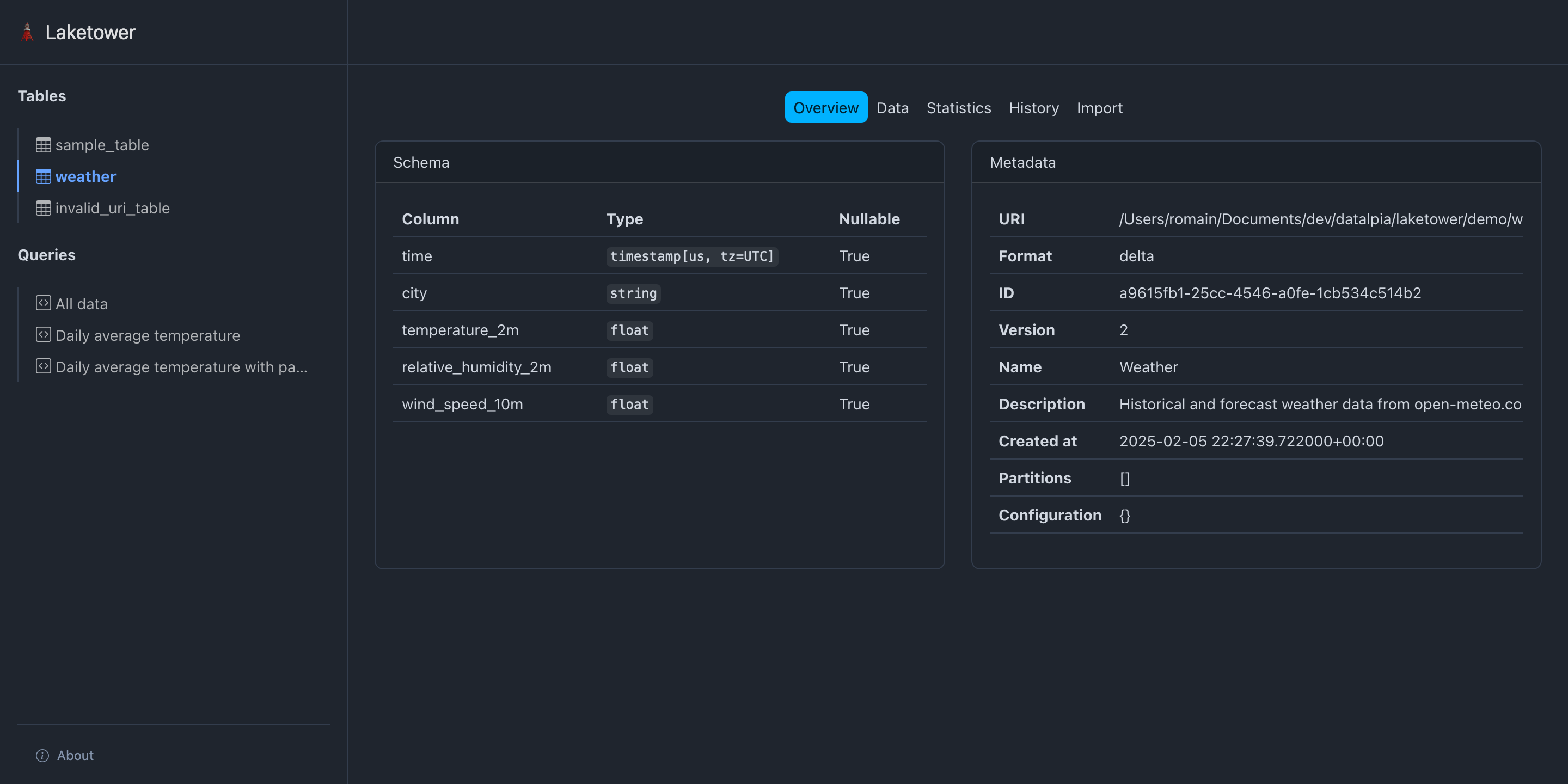
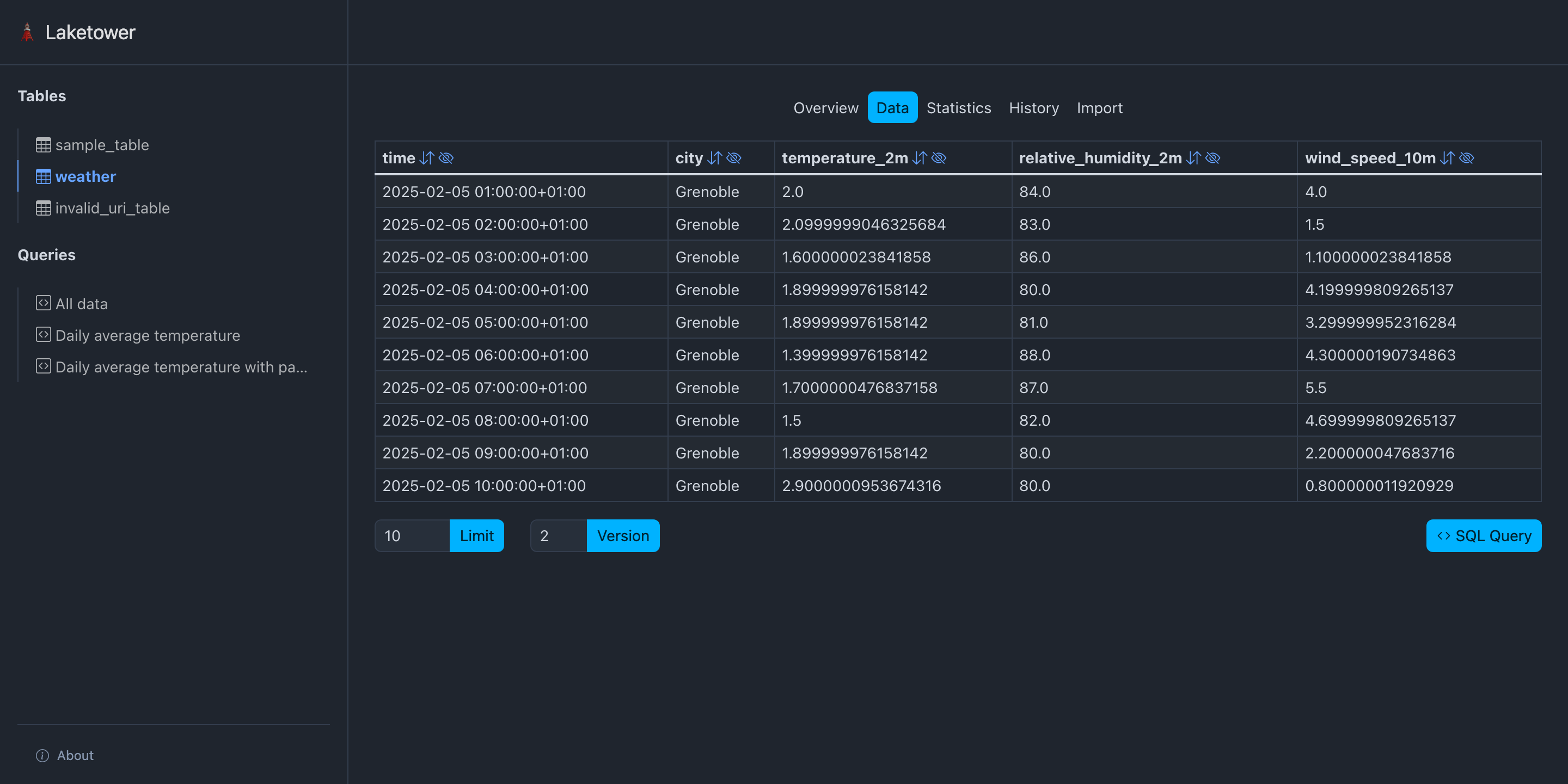
Local-first utility Python app (CLI + Web)
Simple management for lakehouse tables
OSS Apache-2 licensed
Get started: - uvx laketower - https://github.com/datalpia/laketower
🗼 Introducing laketower#
🗼 Introducing laketower#
🗼 Introducing laketower#
🗼 Introducing laketower#
🗼 Introducing laketower#
🚀 Takeaway#
Start simple, scale when needed
✅ Lakehouse benefits without Spark complexity ✅ Rich Python ecosystem ready today ✅ Production-ready for small/medium workloads
Next steps: Pick a format, pick a library, build something!
Romain CLEMENT#

 Datalpia
 Meetup Python Grenoble co-organizer
🌐 datalpia.com 🌐 romain-clement.net 🔗 linkedin.com/in/romainclement
🙋 Questions ?#
Thank you! Let's chat!